Webomates provides a cloud-based AI software testing as a service platform to carry out software functional testing in guaranteed timeframes. The platform creates test cases & scripts and executes them using multiple testing execution techniques like AI Automation, Automation, Crowdsource & AI enhanced manual. At the end of the execution what you get is the actionable triaged defects. Every execution result is recorded and auditable from the CQ portal.
End-to-End testing, also known as E2E testing, validates the flow of entire software from the beginning to the end along with its interactions with entities like hardware, external libraries, third-party plugins, databases, etc.
A good quality assurance process must include comprehensive End-to-End testing. Let us understand why.
1. Verification of application health:
End-to-End testing validates every functionality of the application right from the UI to the backend. It not only provides an overall perspective of the application in terms of how well the requirements have been realized to deliver the expected end product, but also checks for the performance and security aspects.
2. To check the system flow:
Software applications are getting increasingly complex and that is why testing has to be comprehensive to cover all possible scenarios. End-to-End testing ensures that the process and data flow is smooth for all the subsystems. There is no margin of error here, since the failure of flow at any point may lead to the failure of the whole system.
3. To verify the backend and its interaction with the presentation layer
Complex applications working on colossal databases coupled with dynamically changing inputs are a perfect recipe for complicated test scenarios. End-to-End testing helps in verifying data integrity and data exchange with the presentation layer in conjunction with the entire process flow.
It ensures that all the features of the application are working properly before releasing it to users. The term ‘end-to-end’ refers to the fact that the test starts from the user interface and ends when the application interacts with the outside world.
End-to-end testing can prove to be very valuable to organizations focused on delivering a consistently high-quality product to their customers. The value attached to End-to-end testing is significant and proves beneficial in the long term.
QA Ops is the next-level process of DevOps and is integral to the development and delivery operations. Its prime objective is to introduce quality from the onset of any project and ensure that all defined quality norms are followed throughout the development and delivery process.
QA Ops framework is the interlinking of three major processes of the development and delivery cycle — Quality Assurance, Development, and Delivery. This further implies that the concerned teams have to strive for continuous improvement to ensure that a high-quality product is delivered to the customers. Everyone involved from the conceptualization to realization of the application is accountable for maintaining the quality throughout the process.
The success of QA Ops is based on a higher level of collaboration and communication between all the stakeholders. The QA engineers need to work closely with the development team and operations team to decide on QA strategies and make sure that they are followed stringently.
The following diagram represents 4 key elements that need to be incorporated to embed QA in the core of operations.
Automation Automation accelerates the quality feedback loop, by creating, executing, modifying, and self-healing the test suites. Every build has to undergo functional testing, performance testing, and smoke testing, besides the customized set of tests specific for the module under test. Conducting these tests can be challenging if not conducted smartly. Intelligent automation can save precious man-hours and costs by fast-tracking the whole testing process.
Parallel testing Parallel testing involves executing multiple test cases on a module across various test setups in tandem, at the same time. Needless to say, these tests have to be automated for ideal parallel testing.
Parallel testing is important to save time and accelerate the CI/CD pipeline by identifying any flaky tests. The involvement of all the teams ensures that these tests are immediately traced back to their origin and appropriate action is taken.
Scalability Scalability aids in determining the application’s performance under varying load conditions. QA Ops requires to have a test framework and infrastructure in place to conduct scalability testing as and when required.
Integrating development and QA with operations The QA team, the development team, and the operations team need to work together to define the whole QA Ops framework. Involving all the stakeholders from the beginning ensures that clear quality processes are defined from requirement understanding to delivery. Read For More: Intelligent test automation
Code coverage criteriais software testing metric that determines the number of lines of code that is validated during a test procedure, which in turn helps in analyzing how comprehensively a software product has been verified. In short, it allows organizations to evaluate their code to identify its
Photo of Code coverage criteria | Achieve Effortless Code Coverage by Webomates Inc Software testing assesses application quality. Do we need to assess testing quality as well? Yes, the test strategy, assets, and practice have distinct quality aspects. Some of the aspects that we can examine the testing quality are listed below:
Testing Scope: The depth and breadth of the application areas covered and test scenarios covered.
Relevance: Significance of the areas covered during testing and the defects found.
Efficiency: Result and test output in terms of defects as per the time spent.
Efficacy: Defects found per test effort (creation, maintenance, execution, analysis).
Drag: The time spent holding a release while it is being tested, non-tester time invested in test asset creation and review.
Reporting and Analysis: Clarity of defect reports, meaningful analysis.
This article focuses specifically on the quality of application scope. The methods we can use to assess scope are threefold:
Requirements traceability: Mapping of application features, functions, use cases, and or/scenarios to test cases.
Test artifact review: Manual review of test suites, test cases, test data, and applied judgment.
Code coverage: Automated assessment of application coverage.
These three methods are complementary and should be used together.
Code coverage has the advantage of being objective since it is provided by a computer and cannot be disputed or subject to opinion. Furthermore, the heavy lifting is done by the computer, although a little labor is required to set it up using the tools available.
So code coverage is an important mechanism for assessing one aspect of test quality. It provides several types of quantitative metrics at various application code hierarchies, as well as qualitative data — displays of annotated source code, showing lines exercised and not exercised.
What is Code Coverage
In simpler words, “Code coverage is software metrics for the number of lines, branches, and conditions of code exercised during the execution of your test suite.”
Any line of code that has not been validated is potentially a ticking time bomb waiting to go off. In a way, code coverage is a preemptive measure to find issues before the code goes to production. Additionally, code coverage is extremely vital for understanding parts of the code that are rarely executed, such as code for handling exceptional and atypical scenarios.
Good Code coverage is the result of well-defined QA Ops practices and is your safety net that prevents disasters. Inculcating good design, execution, and quality process from the onset is the way to go.
There are multiple criteria used by developers and test engineers to ascertain the code coverage criteria. The most commonly used are listed below.
Function coverage: The number of functions that have been called.
Statement coverage: The number of statements that have been executed.
Branches coverage: The number of the branches of the control structures, like if-then, that have been executed.
Condition coverage: The number of Boolean sub-expression tested for a true and a false value.
Line coverage: The number of lines of source code that have been tested.
Besides these, depending on the type of product Finite State Machine coverage, transition coverage, register toggle coverage, etc. are also considered while calculating code coverage.
Value of Code Coverage
Code related
Identifies bad and dead code: Code coverage analysis points out unused legacy code which can be removed to keep the code clean. It also helps in improving coding practices by pointing out loopholes.
Helps in identifying code segment omissions: Code coverage helps in identifying the code segments which may not be executed just because the conditions were not “right”. It is imperative to test every segment to improve the quality to prevent any surprise bugs.
Test related
Early defect detection and prevention: Early defect prevention helps in managing your technical debt better. We have covered test analytics and its value in detail in our blog “Intelligent Analytics with AI-based test automation”. Read it to understand how defects discovered late in the project life cycle can create havoc.
Helps in identifying test omissions: Code coverage aids in creating new test cases to increase coverage by identifying untested code segments.
Gives a quantitative measure of code coverage: Quantitative measure of code coverage is a number that raises a red flag if not in line with the set target. It sets the wheels of analysis and damage control in motion.
Measures efficacy of test suite: Code coverage helps in analyzing how comprehensively a software is verified and how well the test suite was designed to cover all possible test scenarios. Click to know more about this article: Code coverage criteria
Development today is at warp speed. Hourly, weekly, monthly releases are the new norms. This demand for rapid pace of development and quality assurance puts an onus on the CEOs and decision makers.
C-suite leaders need to recognise that AI is the essential difference that will help them not only tackle a wide range of challenges but also help them keep their firm competitive, lucrative, and resilient.
Applications are becoming too complex for the traditional testing methods. They are time consuming and lack necessary new-age technological skill sets. Scalability to changing requirements is nil, it’s slow and also incurs high capital costs such as expenditure on hardware, software, maintenance, and hiring the right resources.
Leadership demands vision! What if you could test what you want when you want? What if you could discover defects early on? What if that helped you release new products frequently? And what if you could do this all day, every day! According to the IBM research survey, over 3,000 CEOs ranked IoT, cloud computing, and AI as the top three technologies expected to help deliver results.
The CEO’s role – Think what AI and innovation bring to the table!
With Artificial Intelligence and Machine Learning technologies, CI/CD model, Agile, and DevOps practices being used by companies across all domains, the push for high-quality product release through rapid release cycles are at an all-time high.
AI can assist leaders in staying one step ahead in the competition and be resilient to market volatility. As a CEO, you need to invest in solutions that help you scale with agility and overcome the typical traditional testing bottlenecks.
Here are the top 5 actions of CEOs that will help them improve testing:
A Right Partner – Testing at Speed with Webomates
Webomates is the key to unlocking the innumerable AI Testing benefits! More and more companies are acknowledging the axiom of AI Testing and are working diligently to reap its benefits.
1. Power your strategic agility with Shift Left Testing
Expecting to develop a ‘zero-defect’ product is over zealous. But expecting to predict a defect/performance glitche and resolve it – that’s totally possible!
Shift–left testing allows you to enjoy the best of both worlds – test your application right from the beginning and also have a high–performing application at the same time. It is a continuous endeavor in collaboration from development and QA teams. By testing early and often, Shift Left Testing mitigates risks and eliminates surprises by moving the testing towards the early stages of application development. The goal here is to test each feature the development team develops and provide quick defect data so that they can fix it.
By rethinking testing and seeing it as something that should occur not only in production environments but also at an earlier stage of the software delivery chain, organizations can ensure ROI of the time and energy that their software delivery teams put in. It helps you get past the roadblocks with which they’ve traditionally struggled as they attempt to embrace the Agile and DevOps practices.Read for More : Bringing AI In Testing
Performance testing is a non-functional testing technique that exercises a system and then, measures validate, and verify the response time, stability, scalability, speed, and reliability of the system in a production-like environment. It also identifies any performance bottlenecks and potential crashes when the software is subjected to extreme testing conditions.
Performance testing adds great value to the overall Quality Assurance process of any organization. However, if not planned and executed properly, it can also lead to issues later after software delivery. In this article, we will take a look at some of the mistakes that testers commit while doing a performance test on a software.
Not defining Key Performance Indicators properly
Every system has certain Key Performance Indicators (KPI’s) or metrics that are evaluated against the baseline during Performance testing. For example, if the expected response time of a system is 1 second and it is taking extra milliseconds, then it indicates an issue that needs to be addressed.
Ideally, KPI’s should be identified and defined before testing commences.
Scheduling Performance testing at end of development and test cycle
There is a misconception that it is good to test the software as a whole for performance. This leads to placing performance testing at the end of the development cycle. This is a serious fault in the testing process. With shorter delivery cycles, it is prudent to check every deliverable, however small, for performance. Integrating performance tests in the continuous testing process is a great way of ensuring that every deliverable is tested well for functionality as well as performance.
Incorrect Workload Model
Workload deals with concurrent usage of the software. It includes the total number of users, concurrent active users, data volumes, and volume of transactions per user, etc. For performance testing, the workload model has to be defined keeping in mind various possible scenarios. If the workload model is defined erroneously, then it directly impacts the testing process. The testing team should work closely with stakeholders to understand the realistic scenarios of usage and plan the workload model accordingly. The workload model should be tweaked and modified to reflect any changes in the software. It should also encompass peak hour usage scenarios and network congestion scenarios.
Failure to create a realistic test environment
A software could pass all the tests with flying colors but may get stumped in a real usage environment. This could be the result of a failure in simulating a realistic test environment. In reality, there are multiple components that interact with the software, like servers, 3rd party tools, a variety of hardware and software, etc. If all these factors are not taken into consideration while designing a test plan, then there are high chances that the software’s performance is low when launched in the real world. For example, if there are multiple transactions by multiple users at the same time and network bandwidth and CPU performance are not taken into consideration, then the software will slow down significantly. Hence, it is highly recommended to create a test environment that closely emulates the environment in which the software will eventually function, keeping in mind all possible load scenarios.
Ignoring system errors
System errors are indicators of underlying issues. For example, erratic browser errors may seem insignificant and may not be replicated every time. In another instance, there are times when the response time for software is perfect under load conditions but there could be a stack overflow error that occurs randomly. But, every error has to be investigated for any potential issue. Ignoring such errors due to non-replication while running multiple tests leaves a gaping hole in the whole testing exercise.
Conclusion
Performance testing reports and analyses aid the stakeholders to understand the functioning and performance of the product in a real-life scenario. They can accordingly make strategic business decisions on improvements before it is launched in the market. Therefore, it is imperative to consider all possible testing aspects and avoid the above-mentioned mistakes while planning for software testing.
Webomates has optimized testing by combining our patented multi-channel functional testing with performance testing where the same functional tests can be used for load testing. The user just needs to define the following performance parameters:
Number of concurrent virtual users
Duration of load
Expected execution time
These parameters can be defined at the suite level or individual test case level. Once parameters are set, the functional test is enabled for server-side performance verification with a single click.
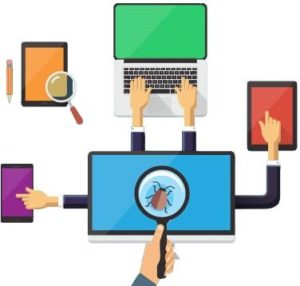
If you are a fan of the Ice Age animated movie series, you might recognize this scene. In this scene, Scrat (the squirrel) is holding on to an acorn and trying to close one of the leaks from the iceberg. But that results in another leaking point elsewhere and when he tries to cover that leak, it results in another one with a cascading effect. Similarly, if we draw a parallel in the world of software development, there are times when fixing one bug might result in another bug(s) unintentionally. This is further compounded by the agile team, teams creating modifications and new features and releasing them continuously, which can introduce even more bugs. Regression testing plays a crucial role in getting a stable version of the software by taking care of finding such bugs before production deployment.
What is regression testing all about?
Regression testing is a type of software testing technique where the QA team runs a set of test cases to verify that with bug fixes or with the addition of new features in the application, the previous functionalities are not hampered.
In the agile methodology of software development, there are incremental changes and the frequency of lines of code change is high. Hence, there is a high probability of new bugs getting introduced. This leads to the need for regression testing to become an integral part of the software development life cycle. Regression testing becomes even more important when the application is live and being used by the end-user and their reported issues are to be fixed on the highest priority. (Ai test automation tools)
After the software is made available to the end-user, especially during the beta testing phase, development teams do not have any control over the environment and the actions, that the end-users will perform while using the application. Those actions are the real-time, real-world actions as to how the application is intended to be used and this phase of testing brings in the most valuable feedback about the application. The feedback report might have bugs or errors which need to be fixed in order to achieve a version that can be released to the end-user for actual use.
Regression testing ensures the stability and quality of the release.
Let’s talk about types of Regression testing
Regression testing can be done on various scales, depending on the requirements of the application and the organizational structure. This invariably requires taking into consideration the cost and the manual efforts involved. Based on the current requirement of the project, one can go with either complete regression or partial regression.
Complete regression involves going through the entire application or website once again to make sure that all the functional areas are working as expected and none of the current functionalities is hampered. This can either be done manually or can be automated as well. For the automation, there are various frameworks available in the market like Selenium or Capybara using which the software testers can automate their regression suite so that whenever this needs to be done before an important release, it can be done swiftly and quickly covering all the major areas of the application. This is a time-saving option when looking for complete regression. However, this requires a lot of upfront effort and almost continuous maintenance or you can use Webomates CQ.