Tuesday, December 28, 2021

Do’s and Don’ts of Automation Testing

 Automated software testing is a technique which makes use of software scripts to simulate the end user and execute the tests, thus significantly accelerating the testing process. It has marked benefits in terms of accuracy, dependability, enhanced test coverage, time and effort saving. Automation aids in reducing the duration of release cycles, albeit at a price. Initial cost of setting up an automated process for testing acts as a deterrent to many cost conscious organizations. However, it does prove beneficial in the long term, especially with CI/CD. Hence, it is important to follow certain best practices and avoid common mistakes while automating the testing process.

Following table gives a quick overview of what to do and what not to do while planning test automation. These points are further elaborated in entailing paragraphs.

Do’sDon’tsRight Team & ToolsAutomate everythingApplication knowledgeAutomate from day oneRight test casesSolely rely on automation toolsShort & independent test scenariosIgnore FALSE failuresPrioritize test automationIgnore Scalability Records of manual vs automation test casesIgnore performance testing Test data managementDelay updating modified test casesTest case managementUse multiple automation platform

What to do for successful Automation Testing

It is vital to have the right set of people working on the right tools to reap the maximum benefits from test automation.

Saturday, December 25, 2021

Ad Hoc Testing Vs Exploratory Testing

 In the software testing arena a commonly asked question is whether Exploratory testing is same as the Ad Hoc Testing? They do have some overlap which causes confusion, but in reality they are quite different. Both provide the freedom to the test engineer to explore the application and the primary focus is to find critical defects in the system. They also help in providing better test coverage, as all scenarios are extremely time consuming and costly to document as test cases.

Exploratory Testing

Ad hoc vs exploratory testing

Exploratory testing is a formal approach of testing that involves simultaneous learning, test schematizing, and test execution. The testers explore the application and learn about its functionalities by discovery and learning method. They then, use exploratory test charters to direct, record and keep track of the exploratory test session’s observations. It is a hands-on procedure in which testers perform minimum planning and maximum test exploration.

Webomates has also done extensive research on how to high jump to high quality using exploratory and detailed analysis can be found in the article written by Aseem Bakshi, Webomates CEO.


Ad Hoc Testing

Ad hoc vs exploratory testing

Ad Hoc Testing is an informal and random style of testing performed by testers who are well aware of the functioning of software. It is also referred to as Random Testing or Monkey Testing. Tester may refer existing test cases and pick some  randomly to test the application. The testing steps and the scenarios depend on the tester, and defects are found by random checking.

Comparison is inevitable when it comes to exploring different testing types. It is vital to understand and employ the right combination for a complete multi-dimensional testing. In this article, we will compare Ad Hoc Testing and Exploratory testing to understand them better. Click here to read more : Ad Hoc Testing Vs Exploratory Testing


If this has picked your interest and you want to know more, then please click here and schedule a demo, or reach out to us at info@webomates.com. We have more exciting articles coming up every week. 

Stay tuned and like/follow us at

LinkedIn - Webomates LinkedIn Page

Facebook - Webomates Facebook page


For More Information visit us at : webomates.com

Friday, December 24, 2021

TaaS Introduction

 TaaS (Testing as a Service) is a supplement to traditional testing that allows the test team to focus on higher-value activities like defect resolution, quality analysis, etc. It creates test cases and test scripts and keeps them up-to-date.

As the demand for quality assurance and testing automation increased exponentially, TaaS has garnered attention in the software testing world and is being used with more enthusiasm than before, as the underlying AI systems are being increasingly validated by the industry.


#softwaretesting #automationtesting #softwareqa #taas #testing #testingframework #testingservice #webomates


visit websites:- https://tiny.cc/taas

Facebook: https://lnkd.in/gidrAvzH

LinkedIn: https://lnkd.in/gxdxxNNg

Twitter: https://lnkd.in/gZqr7VNJ

Thursday, December 23, 2021

Black box tests

 Testing is a crucial step of the software development cycle because it ensures that all the requirements have been converted to a successful end product. An Ideal software testing process has to be a holistic approach that involves a combination of various testing techniques to achieve high-quality software.

The two most commonly used testing approaches are White Box and Black Box testing.

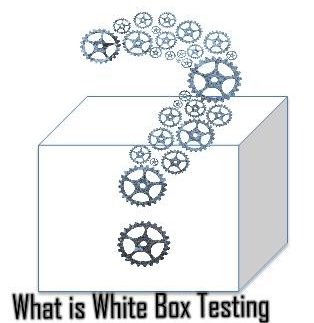
What is White box testing?

what is white box testing


White box testing is used to test the structure and business logic of a program being developed. It requires the tester to know all the functional and design details of the module/code that is being tested. The tester needs to have in-depth knowledge of the requirements, design, code as well as the expected outcome. White-box testing can be applied at the Unit, Integration and System levels of the software testing process. 

White Box Testing is known by several other names, such as Glass box testing, Clear Box testing, Open Box testing, Structural testing, Path Driven Testing or Logic driven testing.

Types of White Box Testing

  • Unit Testing: Performed on each unit or block of code as it is developed to identify a majority of bugs, early in the software development lifecycle.
  • Testing for Memory Leaks: Essential in cases where you have a slow running software application due to memory leaks.


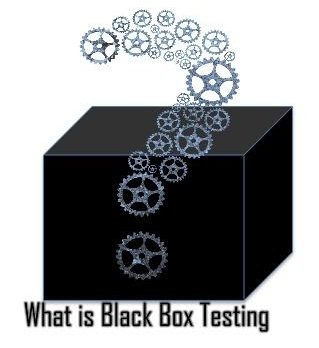
What is black box testing?

what is black box testing

Black Box Testing, also known as functional testing or behavioural testing, essentially requires the testers to evaluate the functionality and usability of the software without looking at the details of the code. It not only verifies and validates the functionality of the software but also checks for any interface issues. 

In this article, we will explore the differences between these two types of testing and analyse how they can be best used for comprehensive testing.


Types of Black Box Testing


There are many types of Black Box Testing but the following are the prominent ones –


  • Functional testing – Related to the functional requirements of a system.
  • Non-functional testing – Related to non-functional requirements such as performance, scalability, usability.
  • Regression testing – Regression Testing is done after code fixes, upgrades or any other system maintenance to check the new code has not affected the existing code. Click here to read more : black box tests


If this has picked your interest and you want to know more, then please click here and schedule a demo, or reach out to us at info@webomates.com. We have more exciting articles coming up every week. 

Stay tuned and like/follow us at


LinkedIn - Webomates LinkedIn Page


Facebook - Webomates Facebook page


For More Information visit us at : webomates.com

Test Automation Challenges

Automated software testing significantly accelerates the testing process, thus making a direct positive impact on the fulfillment and quality of software. Its an excellent way to put your testing process on steroids. You program a tool to simulate human behavior in interacting with your software.

Once programmed, its similar to having many robotic helpers that you can create on the fly,that can execute the test cases resulting in massive scalability. This in turn causes a massive speed up in execution time.

Rather than using humans, automation uses  test scripts to simulate the end user behaviour. Test scripts are developed using automation tools like selenium and execute the defined test steps. They then compare the actual results against the expected result. However automated software testing has its own limitations and drawbacks. One of the biggest drawbacks of automation are False Failures or False Fails. In this article, we will dig deeper into what are False Fails and how they can adversely affect the value of automation.

What are False Fails ?

Whenever an automation test suite is executed, the result is a pass or fail report. Pass or Fail depends on whether the actual result matches the expected result or not. 

Failures can be of two types.

  • True Fail, which means there is a defect in the system and it is not working as expected.
  • False Fail, which means there may be no defect and the system may be working as expected. False Fails means that it is unclear whether the test case has passed or failed. Such cases are termed as false failures or False Fails.
    False failures are one of the major challenges in automation testing. It not only undermines the value of automation, introduces a tremendous amount of effort to triage the failures but also causes loss of trust and confidence in automation. False failures can range from 0% to 100% of the Fails that are seen in an automation execution result.
    There are various reasons that can cause false failures in the automation results. The most common ones are listed below.
  1. Script interaction with Browser: 
    To simulate the end user scenario, Test automation tool and scripts have to interact with the browser. In the case of selenium, the selenium webdriver accepts the commands from the script and sends them to the browser. Commands can be of any type, for example, to click on a link/button or to get the text of a specific element. There might be instances when page load speed in a browser is slow depending on the internet speed. By the time the browser receives the command, requested page is not fully loaded. In such cases, the browser will not be able to perform expected action and Selenium will throw a Timeout exception. This is a classic example of false failures in browser based applications.
  2. Locator changed: Locator is a unique identifier that helps scripts to identify a specific element on the web page. It is used to send commands to the browser to perform specific actions. Browser can perform action only if it is able to locate a particular element using a unique identifier. Unique identifier can be id, name, css or xpath etc.  While fixing bugs or introducing new html attributes or styles, there is a chance that the developers end up updating the identifiers or introducing new elements whose identifiers are not identified by the automation scripts. This causes automation to fail in identifying the unique elements. In such cases, a failure is reported.
  3. Introduction of New features or behaviour : Failure to keep automation scripts updated as and when new features or behaviours are introduced is a sure shot recipe to false failure reporting. Existing test cases may fail in case of outdated script execution, even though they are working as expected. This may happen as direct impact of changes in some intermediate steps. For example, in e-commerce site, original expected result for clicking on search was to show results on the same page. But as a result of modification, the search results are shown in a new tab. If automation script is not updated to reflect this, all the test cases post search results will fail, even though the rest of application may be exactly the same.
  4. Dynamic Behavior of application: There are many applications especially in e-commerce world where real inventory is used for testing. For example, in the case of airline booking, while selecting the flight, upgrade options are dependent on the availability of the upgrade. There might be a case where different people opt for same upgrade at the same time. At the time of testing, there is a chance that an end user is able to upgrade and book a flight even when the upgrade was given to someone else. Due to the dynamic nature of data, it may cause false failure. Some complexity level can be handled at script level but correctness can’t be 100%. Read More about : Test Automation
If this has picked your interest and you want to know more, then please click here and schedule a demo, or reach out to us at info@webomates.com. We have more exciting articles coming up every week. 
Stay tuned and like/follow us at

LinkedIn - Webomates LinkedIn Page

Facebook - Webomates Facebook page

For More Information visit us at : webomates.com

Monday, December 20, 2021

TAAS — A NEXT GEN ON-DEMAND QA SERVICE

 I need to release software faster.

I need to do end-to-end testing and quick turnarounds.
I need to avoid overhead infrastructure costs for testing my application.
I have testers with limited business domain knowledge. What should I do?
My in-house testers are bored of repetitive testing — it’s a time drain!

You have 2 options — Choose traditional testing or go for Testing as a Service (TaaS).

With Traditional Testing, the team of testers works internally on every product release, identifies issues, goes back to the development team with the list of defects, and the dev team needs to fix the issues. And this is a do-die-repeat cycle for every release till all the defects get resolved. Scalability to changing requirements is nil, and it’s slow with inefficiencies and delays. Conventional software testing also incurs high capital costs such as expenditure on hardware, software, and its maintenance, Hiring the right resources?

Applications are becoming too complex for the traditional testing methods. They are time-consuming and lack necessary new-age technological skill sets. With every organization embracing Artificial Intelligence and Machine Learning technologies, CI/CD model, Agile and DevOps practices across all domains, the push for high-quality product releases through rapid release cycles are at an all-time high.

The solution — You need Testing as a Service (TaaS) — also known as an On-Demand testing service — to help you scale with agility and overcome the typical traditional testing bottlenecks.

So what exactly is TaaS?

Testing as a Service is a supplement to traditional testing that allows the test team to focus on higher-value activities like defect resolution, quality analysis, etc. It creates test cases and test scripts and keeps them up-to-date.
As the demand for quality assurance and testing automation increased exponentially, TaaS has garnered attention in the software testing world and is being used with more enthusiasm than before, as the underlying AI systems are being increasingly validated by the industry.

How is it different from Traditional Testing?

Traditional Testing TaaSFocus of testingFocus is to find a defectFocus is to prevent a defect Scaling to new changesAdaptability to changing requirements in lowCan scale as per the changing demand/requirementsAvailability Testing plans are pre-decided 24*7CostHigh cost due to the need of skilled testers and infrastructure. Up-front investments and maintenance costsPay only for what you use
Test Environment Need to manually create the test environmentsAvailable on demand Testing ArtifactsManually created The platform will help in generating artifacts and dashboards Test Management Software License requiredIt’s part of the service, can be easily configured to use your existing test-management productsUse of newer tools and technologies Using newer tools in-house needs significant investment, steep learning curve, lack of skilled resources Artificial Intelligence (AI) and Machine Learning (ML) powered intelligent automation tools are available on demand and instantly — with no learning curve Ability to learnFollows rules to automate the tasks that has no variations, is restricted to repetitive tasks Learns and adapts to data in real-time with the AI self-healing capability .

On-demand testing is suitable when your team is in any of these testing scenarios:

The Perks of embracing on-demand services

In today’s digitally empowered world, your business depends on your customer’s experience. One bad experience and it can turn off the customer from your application and you could lose — your customer, your reputation, your credibility — literally everything is at stake! To provide a great customer experience, you need a high-quality defect free product that encompasses everything that a customer needs.

You can’t have a perfect defect-free application that loads at a snail’s pace. You would still lose out on your customer! You need to cover it all — not just the functionality aspect, but also non-functional aspects like load, performance, and security. And that’s how high the testing standards need to be to ensure end-to-end testing that gives a superior customer experience!!

According to Cognizant’s report, the primary reason cited for optimization was to improve product quality, and the primary means to achieve optimization was to partner with an independent testing service provider. Read More about : TaaS

If this has picked your interest and you want to know more, then please click here and schedule a demo, or reach out to us at info@webomates.com. We have more exciting articles coming up every week.

Stay tuned and like/follow us at

LinkedIn — Webomates LinkedIn Page

Facebook — Webomates Facebook page

For More Information visit us at : webomates.com

Saturday, December 18, 2021

Shift Left Testing in Agile

 Change is the only constant.

This applies to Software Testing more now than ever. Organizations are continually evolving and transforming by finding innovative ways to incorporate emerging technologies with a vision to ramp up quality.

While the Last gen used the Waterfall model, the current gen is using Agile model to enable faster delivery and quicker ROI. As part of this digital transformation, organizations — large and early-stage startups — are now moving towards DevOps and including CI-CD as a basic process to enhance its quality engineering efforts and enable early defect detection to reduce costs and time investments.

The software development teams now rapidly need to move towards Shift-left testing to fix the defects at a fast pace and increase feature velocity. Continuous Testing is another demand which needs to be involved as part of Shift-left testing to fix problems at an early stage and expedite feature velocity.

So what exactly is Shift-Left Testing?

Ten years ago, shift-left was a nouveau concept. It was originally introduced in 2001 by Larry Smith in his article in an effort to integrate the Quality Control(QC) and development parts of a software project. As the name implies, Shift-left testing is an approach to software testing and system testing in which testing is performed earlier in the life cycle (i.e. moved left on the project timeline).

Early testing helps to reduce the number of defects found. Prevention of defects escaping production) is better than a cure (defect fixes), especially when the cure is costly. You can extract maximum benefit out of this approach by using the two key DevOps practices: Continuous Deployment and Continuous Testing. Shift-Left is also about breaking down silos. It is a blessing in disguise as it gives an opportunity for bridging the gap between development and testing as it reduces the feedback time between the teams.

Read More about Shift left testing

If this has picked your interest and you want to know more, then please click here and schedule a demo, or reach out to us at info@webomates.com. We have more exciting articles coming up every week.

Stay tuned and like/follow us at

LinkedIn — Webomates LinkedIn Page

Facebook — Webomates Facebook page

For More Information visit us at : webomates.com

Why Do Test Automation Challenges Slow Down Software Testing?

  Software testing is an essential part of delivering reliable and high-quality applications. As development cycles become shorter, QA teams...